
Resume Builder
At this point, you should have a great feel for your resume’s content, objectives, and format. Now, it’s just a matter of putting it together and sharing it with the world. You have two options: either create your resume manually in Google Docs or Word, or streamline the process by using a resume-building tool.
Should you use a resume tool?
It’s not mandatory, but I highly recommend it…especially since we’re giving you free three-month access to the best tool on the market.
Author note: The instructions for gaining free use of Beamjobs’ resume and cover letter-building tools are in the welcome email we sent when you purchased the course.
Sure, you could figure it out on your own, but let’s be real—it’s a pain and sucks up your time. When you’re customizing your resume for each application, the last thing you want is to wrestle with wonky tables and templates just because you tweaked a few bullet points.
If you’re set on using a word processor, keep it simple: choose a clean, basic template. Avoid clunky bullet points, complex tables, or fonts that an applicant tracking system (ATS) may not recognize.
But if you’re open to something easier, use BeamJobs, a platform that’s helped 2.5M+ job seekers. I fully trust this platform and even recommended it to my son when he graduated from Florida State University earlier this year. There are other tools, but I don’t want to overwhelm you when I can point you to one that can definitely up your game.
What does a resume builder do?
A good resume builder will provide ATS-friendly templates, help you write strong, achievement-focused bullet points, and offer sound resume advice and feedback. The top ones have AI-powered tools that help you create a great resume with minimal effort.
How to get started
Whether you’re starting from scratch or updating an old resume, BeamJobs makes it easy.
- Upload your existing resume or import your career history from LinkedIn.
- If you’re starting fresh, choose a template from BeamJobs’ options. These templates are sleek and ATS-friendly.
Insider Tip
If you’re updating an old resume, import it into the builder to save time. The AI will automatically suggest improvements based on current hiring trends.

ATS-friendly resumes
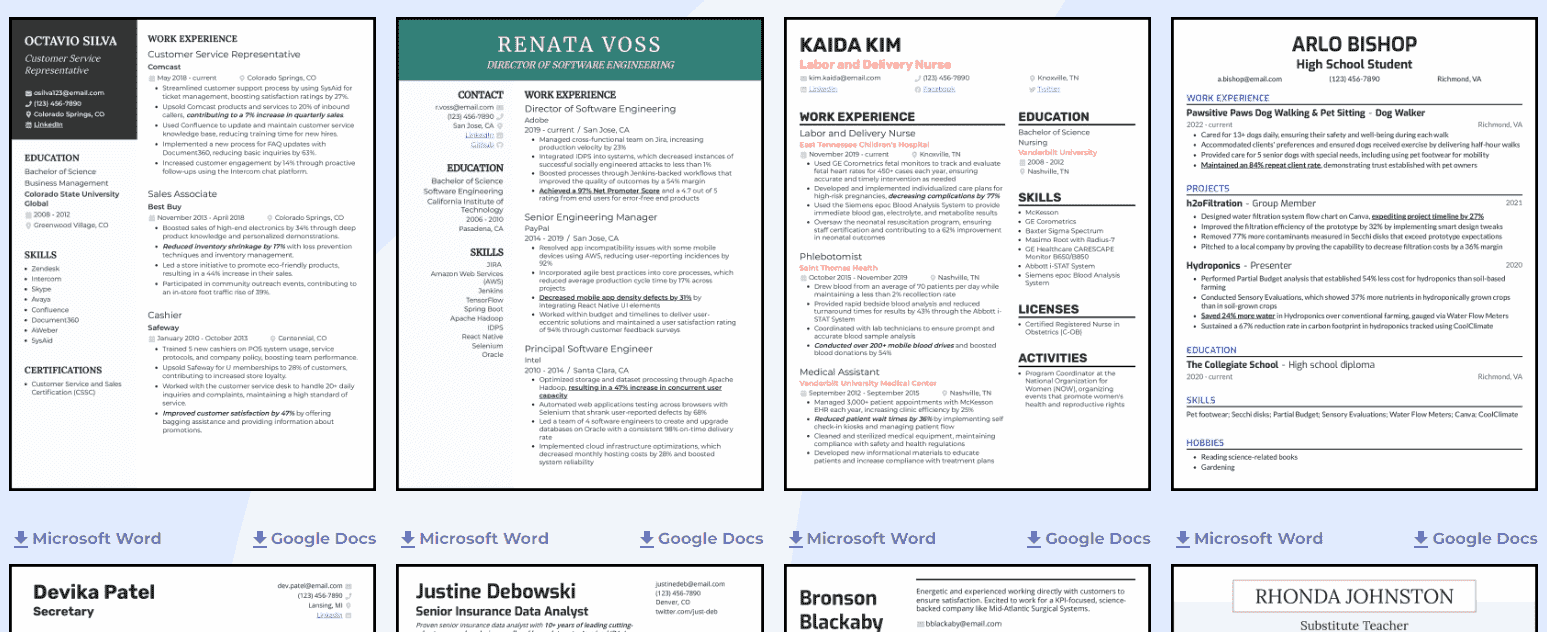
Speaking of resume templates, BeamJobs offers eight sleek templates within its tool that are all ATS-friendly. Choose from one—or two-column formats, trusting that these templates have been vetted by hiring experts.
Resume score and feedback
When you enter the resume builder, BeamJobs automatically scores your resume. Select “Make improvements” to see tips on where to spruce things up, with advice on everything from beefing up your bullet points to perfecting the length of your resume.
It also provides 11 checks for your resume, including:
- Quantify your impact
- Start with strong action words
- Resume length and customization
You’ll receive actionable feedback and specific examples to revamp your resume when you click on the checks.
Insider Tip
Pay close attention to the suggestions on quantifying results—recruiters love seeing numbers because they give your accomplishments weight.
Bullet point generator
This is one of the best features. Whether you’re facing writer’s block or struggling with the phrasing of your job description bullet points, select “Improve with AI.”
You can generate multiple iterations of a bullet point simultaneously for quick comparison, and if you don’t like those options, you can re-generate for a fresh selection. BeamJobs also lets you browse sample bullet points from top resumes for inspiration.

Don’t
Don’t rely exclusively on the generator without personalizing the content. Make sure each bullet point reflects your unique contributions and experience.
Design control
You don’t have to consider whether a font choice is ATS-suitable because BeamJobs only gives you choices that work. Maintain design control in the resume maker without fear of anything breaking or failing the ATS.
Select your header and body font, pick an accent color suitable to the company culture, adjust your spacing and margins, and play around with different templates.
Insider Tip
Pick a simple, professional design that aligns with your target industry. For example, a more creative role might allow for an accent color, while traditional industries prefer clean, minimalist layouts.
Other features of BeamJobs
Editing your resume
BeamJobs offers two ways to edit your resume:
- Guided editing: The tool walks you through each section step by step, from contact details to education, ensuring nothing is missed.
- Inline editing: You can click directly into any section of the resume to make changes on the fly, similar to editing a document.
Any new resume you build will automatically include the following core sections:
- Objective
- Work Experience
- Education
- Skills
With the option to add optional sections, including:
- Projects
- Certifications
- Activities
Insider Tip
Remember to customize your resume by rearranging the order of sections based on your strengths and the job you’re applying for. For example, if you’ve completed relevant projects, move them higher up.
Resume guidance
There’s also job-specific advice, such as:
- How can you quantify achievements for a customer support role?
- What programming languages or tools should an entry-level engineer add?
- When should you provide a list of certifications in project management?
Don’t
Don’t skip reading the job-specific guidance. These resources can give you an edge, especially for competitive entry-level positions.
Downloading
Once completed, you can download your resume in either DOCX or PDF format—or both. Recruiters, hiring managers, and the ATS prefer these file types.
Matching cover letter
Since customizing your cover letter to the job description is just as important as customizing your resume (which we’ll cover later in the course here), you can also consider using BeamJobs’ cover letter generator to simplify the process.
Can you trust a resume tool?
Again, there is no shortage of resume tools, so I can’t definitively answer this question for every resume builder on the market. But I can resoundingly say that BeamJobs is trustworthy. Even though its resume tool maximizes AI, there are no robots in the background processing your questions and concerns. BeamJobs has a dedicated customer support team that can address your inquiries quickly and clearly.
Key Takeaways
- Use a resume builder to simplify the creation process, saving time and helping you create a polished, ATS-friendly resume
- Check your welcome email for instructions on how to access Beamjobs’ resume builder for free for three months
- Leverage AI tools, but never let them replace your own words and voice
- Stay in control of the design (always!), and stay away from extreme colors and fonts